Robot Safety Sandbox
GPU-parallel robot environments and safety-filter tooling for training and evaluating safety and reach-avoid policies — the environment layer for safety-stable-baselines (
safety_sb3), built on mjlab.
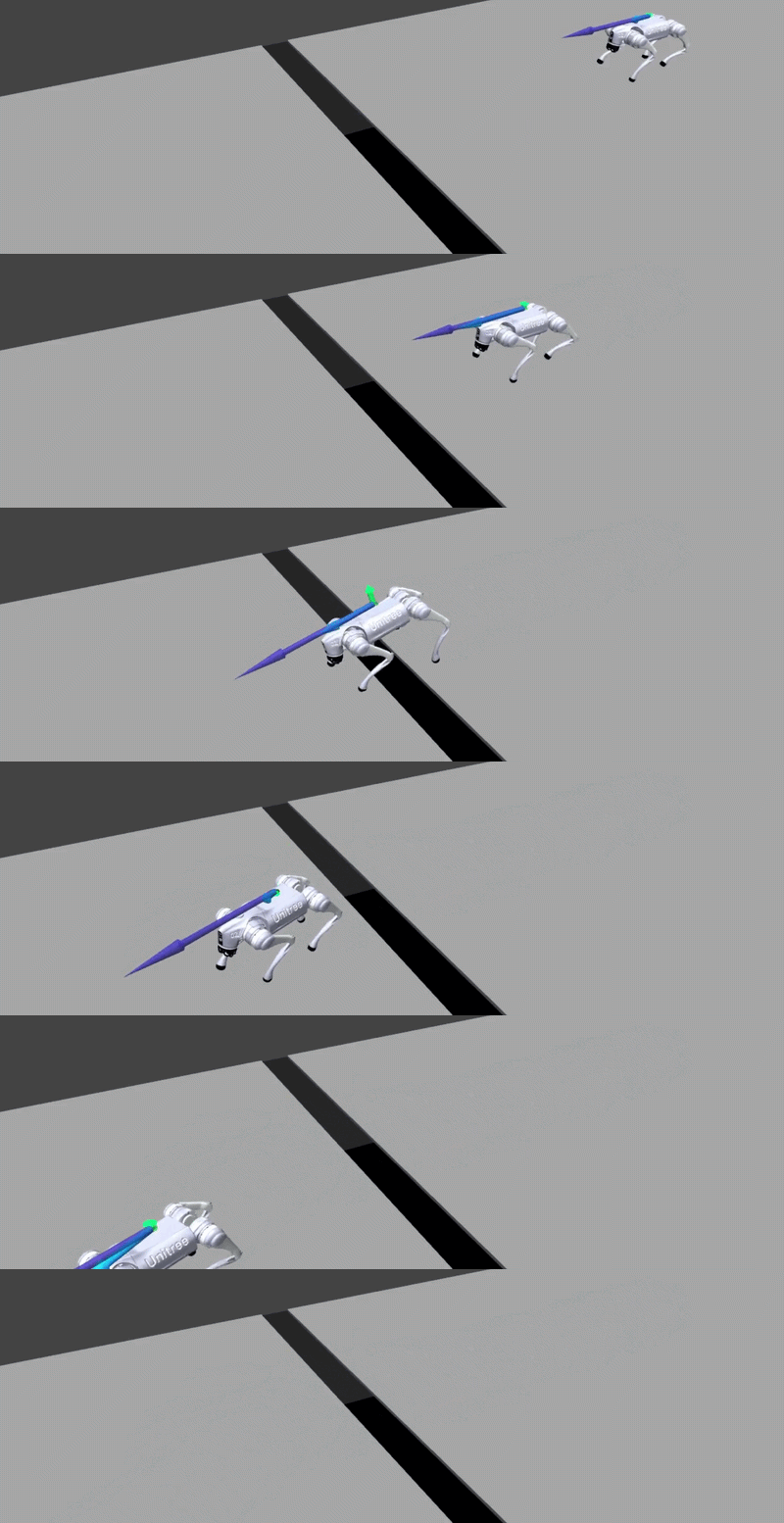
A Go2 quadruped crossing a gap on natural parkour terrain under a value-based safety filter — one of the GPU-parallel benchmarks in the sandbox. Browse the catalog →
What is this?
Robot Safety Sandbox (robot_safety_sandbox, released as
robot-safety-sandbox) is a collection of massively parallel mjlab
environments and a composable safety-filter library. You specify a task by its
margins — a safety margin g and an optional target margin l — and train a
policy that keeps the robot safe (and, for reach-avoid tasks, reaches a goal)
under a Hamilton–Jacobi reachability value learned by RL. You can then wrap any
trained task policy in a safety filter and evaluate how well it holds up,
including under a learned worst-case adversary.
Who is it for?
Researchers and engineers working on safe reinforcement learning,
reach-avoid / Hamilton–Jacobi reachability, and safety filters for
legged and wheeled robots, who want GPU-parallel environments that plug straight
into the safety_sb3 learners.
What can it do?
-
Safety & reach-avoid task specs
Define a task by signed margins
(g, l); the sign is the specification. -
Single-player & adversarial training
Tasks that declare
supports_adversary=Truecan be trained single-player or as a zero-sum two-player game (a learned worst-case disturbance) with--adversary. -
PPO and SAC workflows
One trainer, two RL families: on-policy (PPO) and off-policy (SAC).
-
Composable safety filters
A filter is a composition of three swappable parts — fallback, monitor, intervention — not a class per recipe.
-
GPU-parallel mjlab environments
Thousands of environments step end-to-end on the GPU.
-
Reproducible YAML recipes
Every run is a small config file and dumps its fully resolved config back out for exact reproduction.
What does it require?
Requirements at a glance
- Linux only, with an NVIDIA GPU (tested on RTX 4070 / Ada
sm_89and RTX 5090 / Blackwellsm_120). - Python ≥ 3.10, mjlab 1.2.0, MuJoCo 3.6.0, mujoco-warp 3.6.0 (the sim-stack pins are mandatory — see Requirements).
- No PyPI release — install from a git checkout (
pip install -e .);safety_sb3is pulled in as a pinned git dependency. - The Digit humanoid tasks import on stock mjlab but need a custom mjlab fork to simulate.
- The first environment build JIT-compiles Warp kernels for your GPU — expect a one-time pause.
Full compatibility matrix: Requirements.
The smallest runnable example
Install, verify the import, then smoke-train the tutorial task (car_goal) for a
few seconds — no GPU cluster, no wandb account:
# 1. verify the install (CPU-only import)
python -c "from robot_safety_sandbox import list_tasks; print(list_tasks())"

# 2. smoke-train the tutorial task (~10 s once Warp is compiled; writes runs/car_goal/)
python examples/train.py --config configs/car_goal.yaml \
    --num-envs 256 --steps 200000 --no-wandb

# 3. evaluate the checkpoint's reach / safe rates
python examples/eval.py --task car_goal \
    --safety-policy runs/car_goal/final_model.zip --safety-only \
    --no-filter --num-envs 512 --steps 700
The full car_goal recipe trains for 25M env-steps; the command above is a short
verification run. See the Quick start for
what success looks like and where output lands.
Where do I go next? — choose your path
| I want to… | Start here |
|---|---|
| Run an existing benchmark | Environments catalog |
| Train a safety / reach-avoid policy | Choose a workflow → Training |
| Evaluate a safety filter | Evaluation |
| Train a task policy inside a filter | Train inside a filter |
| Add my own task | Tutorial: build the car-goal task |
| Understand the theory | Concepts: margins · the MAP |
The MAP — one mnemonic for the whole codebase
Learner names are three letters concatenated — Mode · Algorithm ·
Players — e.g. SafetyPPO1P, ReachAvoidSAC2P. You never pick a learner
directly: the task's mode gives M, --family gives A, --adversary
gives P. See the MAP naming convention.